I noticed that the order of languages in the exported xcstrings file doesn’t match the one generated by Xcode. This causes a big difference in the Crowdin pull requests. This could potentially be fixed by being able to customize the order of languages in the exported file, but I don’t think that’s possible right now. Any ideas on how I can fix this?
Could you kindly provide additional information regarding your expectations for the export and the actual results? Providing an example file or a screenshot would be greatly appreciated! You can send it to our email support@crowdin.com if the data is sensitive.
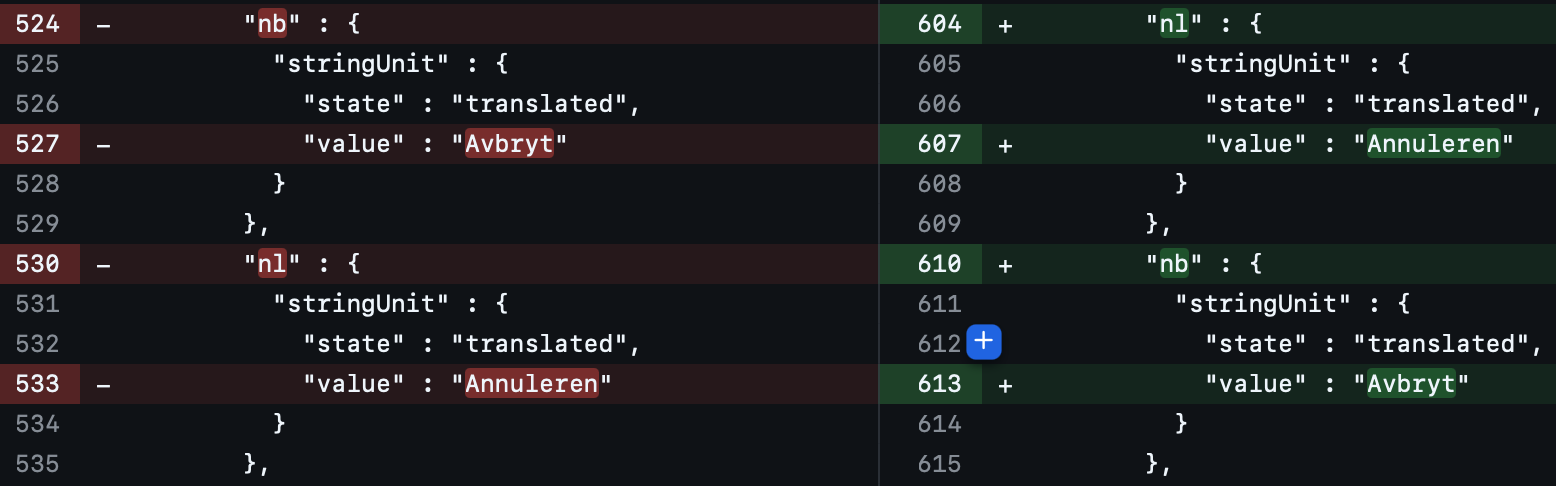
In the following image, the GitHub diff is shown for the pull request created by Crowdin. It can be seen that the export has changed the order of languages resulting in the nl and nb languages being swapped.
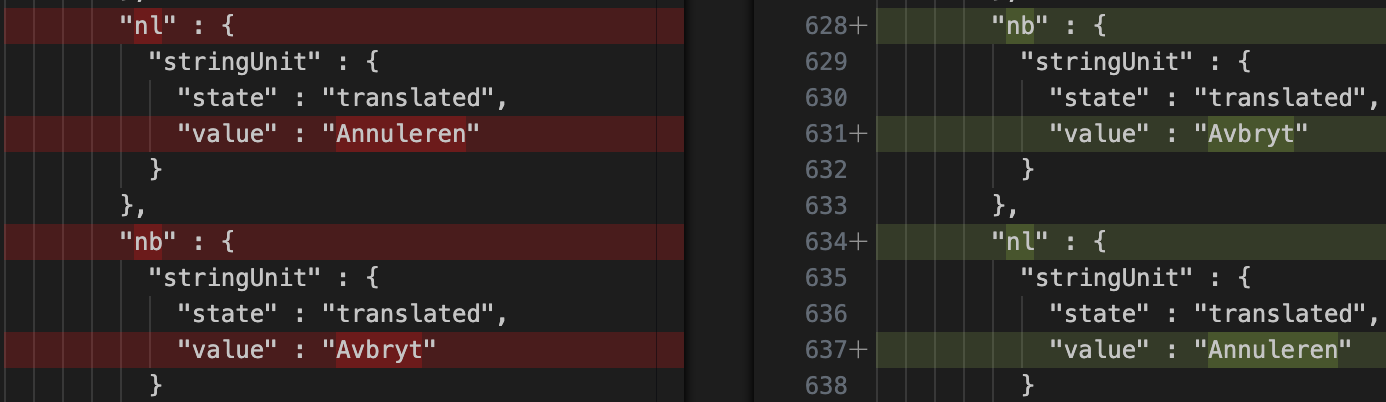
This is a problem as after merging this and building the Xcode project again results in Xcode swapping the languages to the original order as seen in the image below:
NOTE: I am using the regex application to replace the no language specifier with nb as Xcode does not support no. This explains the changed order as they are probably ordered alphabetically followed by the post-processing replacing no with nb. Replacing the string in this way originated from this post.
Any updates here? We are facing the same issue and it is very unpleasant to get huge difference every time when we get updates of localisations from Crowdin. We are using both GitLab integrations and Crowdin website and both sort languages different from XCode.
In our case order of Crowdin translations is: en, fr, de, it, pl, pt, es, tr
Order of translations in XCode generated file: de, en, es, fr, it, pl, pt, tr
There is currently no built-in option to customize the language order in exported .xcstrings files.
However, you may want to try the Custom Post-Export Processor app. It works with .xcstrings files and can be used to modify the exported content, including reordering language entries if needed.
What’s also helpful is that we have a Processors Developer GPT that can assist with generating the processor rules
Thank you for your reply!
We have added Custom Post-Export Processor app but unfortunately it doesn’t work. Could it be related to the fact that we use strings-based project? And in that case what would you suggest?
Yes, that is the reason. Since there is no built-in option to customize the language order at the moment, I recommend filing a feature request by reaching out to us at support@crowdin.com. We will make sure to pass it along directly to our development team for consideration.