Some general Crowdin questions before starting

Hello Everyone!

I’m a solo indie game dev who is looking to localise (text) in a mobile game (using Crowd Sourced or MT translations)

Localisation was added early in the development cycle and it currently supports English, although a draft version of Spanish is available for UI testing purposes.

I’m looking to add support for other languages over time.

Most of the localisations are related to parts of the game that are quite static, so won’t change much. But downloadable content is a key part of the experience, so localisations for that will need to be generated on a more regular basis.

With that in mind, I wonder if anyone could help answer the following questions please?

  1. Given that some of the localisations will likely require small (but regular) updates (create, update, delete) what would the recommended file format be? The strings are currently in XML (Google) format but going by the Crowdin documentation, it looks like JSON might be more suitable?

  2. My localisation files are currently split into two files per language. One for generic content and the other for specific. Is this scenario supported on the free tier?

  3. Some of my localisation strings cover things such as detailed feature descriptions. This means they’re quite long and broken into paragraphs with escaped CRLF’s. Would that be ok with Crowdin or would one sentence\paragraph per string be best practice? For example, instead of FeatureDescription you would have FeatureDescription1, FeatureDescription2, FeatureDescription3 etc.

  4. I’m assuming (hoping) that integrations (for example, Github\Unity) are optional and not required and that Crowdin’s own dashboard will allow files to be uploaded\downloaded manually?

  5. Are localisation sources (for example, Crowd Sourced or MT) defined at the project\file level? And is it possible to change them once defined?

  6. Whilst I’m currently looking to target the free plan, it’s entirely possible I’ll be upgrading to a paid plan in the future as the number of translations grow. But as a solo indie, the jump from free to paid (€50pm) is a huge step and potentially out of reach. Is Crowdin considering a tier that offers a little more than free but less than Pro, for say €10-15pm?

Any help or advice would be much appreciated.

Kind regards, David

Hi David,

It sounds like an exciting journey, and I am happy to help you get your localization workflow set up smoothly on Crowdin :grinning_face:

Regarding your file format, both Android XML and JSON are fully supported and handle regular updates perfectly. If you are developing natively for Android, XML is great.

However, if you are using an engine like Unity and plan to go cross-platform eventually, JSON is often more lightweight and universally adaptable. Either way, Crowdin will easily manage your regular string updates.

Having your localization split into two files → this scenario is absolutely supported on our Free tier. The Free tier limits are based on the total number of hosted words and the number of projects, not the number of files you use to organize your strings. It’s just a file format, up to 3 (so, simultaneously, for example, .strings, .xml, .json).

Crowdin can technically handle long strings with escaped line breaks without any issues. However, the best practice is to break them down into smaller keys, like one per sentence.

Smaller strings provide much better Translation Memory leverage. This means if a single paragraph changes in the future, your MT or community only needs to re-translate that small part, rather than processing the entire block of text again.

You will be happy to know that integrations with platforms like GitHub or Unity are completely optional. You can manage everything manually by uploading and downloading your files directly through the Crowdin web dashboard. As your project grows, you might find the integrations save you time, but manual management is a perfectly fine way to operate.

Localization sources and methods are highly flexible. You can set up Machine Translation engines and apply them to your project files via pre-translation whenever you like. If you want to use crowdsourcing, you simply invite your community volunteers to the project. You are never locked into one method and can easily start with MT, switch to crowdsourcing, or use a hybrid approach at any point.

Regarding your pricing question, we do not have a tier in that specific price range. However, if your game is open-source, you might qualify for our Open Source license, which offers advanced features for free.

Hope this helps!

Hi Dima,

Thanks so much for the prompt & detailed reply, that was incredibly helpful and answered all my questions. It did raise some further questions though, apologies :slight_smile:

However, if you are using an engine like Unity and plan to go cross-platform eventually, JSON is often more lightweight and universally adaptable.

The game localisation API is an in-house solution, so the file format is more important in terms of the localisation service. The game is currently iOS only, but I’m considering other platforms in the future. So I like the idea of JSON and keeping the file format platform agnostic.

That said… I note that JSON & Android XML are editable, but is it possible to insert new strings at specific points? (rather than at the end)

Rightly or wrongly, my files are ordered in a particular way and I would prefer to keep the ordering if possible.

Localization sources and methods are highly flexible.

Am I right in saying that Crowdin has its own pool of translators that undertake human translations? Using the game community is something I plan to explore, but it’s too early for that at the moment.

And is the Crowdin Translate (MT) purely an MT (non-AI) process?

Regarding your pricing question, we do not have a tier in that specific price range.

Thanks for letting me know. The game is not open source, rather a commercial product. But the Free to Pro tier is quite a jump for a solo\indie. Maybe an in-between tier is something Crowdin could consider for the future?

Kind regards, David

Hello David,

Regarding your first question, Crowdin respects the structure of your source files. When you insert a new string right in the middle of your JSON or XML file on your computer and upload that updated file to Crowdin, the system extracts the new string for translation while keeping all your existing work intact. It’s a key-based files, no issue should be with them.

When you export your localized files, Crowdin generates them in the exact same order and structure as your most recently uploaded source file. So, you can safely insert strings wherever they belong contextually on your end, and Crowdin will maintain that exact ordering on export.

As for human translations, we have a vendor marketplace integrated right into the platform. You can easily order professional human translations. Of course, you are also completely free to invite your own freelance translators or your gaming community whenever you are ready for that step.

You also asked about Crowdin Translate. Crowdin Translate is a traditional Machine Translation engine developed by us, built using machine learning and optimized specifically for UI texts. It operates like standard MT, similar to DeepL or Google Translate, which we also fully support. If you ever want to explore generative AI for translations, we have them separately from MT.

Finally, about the pricing structure. Right now, we don’t have any plans to redesign the pricing model, but we are always looking for ways to improve it. In case one day we add 10-15$ plan, you’ll definitely be notified.

Thanks again Dima.

That’s great news about the file ordering. It sounds like JSON or XML is the way to go.

I’m also just experimenting with the strings editor and seeing if that’s better suited to my needs.

I just received an onboarding mail, so will raise any further questions through that.

Thanks again for the help & advice, it’s very much appreciated.

Kind regards, David

1 Like

If anything else is needed, I’m always here for you :slightly_smiling_face:

1 Like

Thanks Dima.

Actually there are a few more questions and thought I’d post here as it might help others out as well.

I tried the string approach, but can’t find a way to group them (as I’ve mentioned before, each of my localisations is split into two files) so it looks like I’ll be taking the file approach.

Editing Values

One thing I did notice was that editing a string (let’s say a value of One to Two) and then running pre-translate doesn’t actually update the localised strings.

This is due to Keep Translations being the default value on the Edit Strings dialog. I had to select Delete Translations to work around this. That seems a strange default choice and means edited translations could easily go unlocalised. Or maybe I’m missing something here?

XLIFF File

I’m new to the whole process of localisation and only became aware of XLIFF files yesterday. My localisation files are currently in Android XML (for it’s simplicity) that my in-house localisation engine uses.

I like the idea of the XLIFF file but my research indicates it’s not really designed for storing source (or target?) files. Rather its best used for the generation process or when moving between platforms? I would appreciate the opinion of an expert here as I’m considering converting my Android XML files to XLIFF for source & target.

Tokens\Placeholders

I’ve seen these are available on the edit bundle screen (i.e., %two_letters_code%) but they produce the following…

English : en

Spanish: sp

I’m wondering if Crowdin supports the ISO code as well, for example…

English (British): en-GB

Spanish (Spain): es-ES

I only asked as my source language was English initially but then corrected to English (UK) but the output file code still shows the language (en) not the dialect (GB)

Hopefully that makes sense.

Kind regards, David

Hello David,

Editing Values

It depends on how you edit the source string, it’s possible to choose if translations should be kept or erased.

XLIFF File

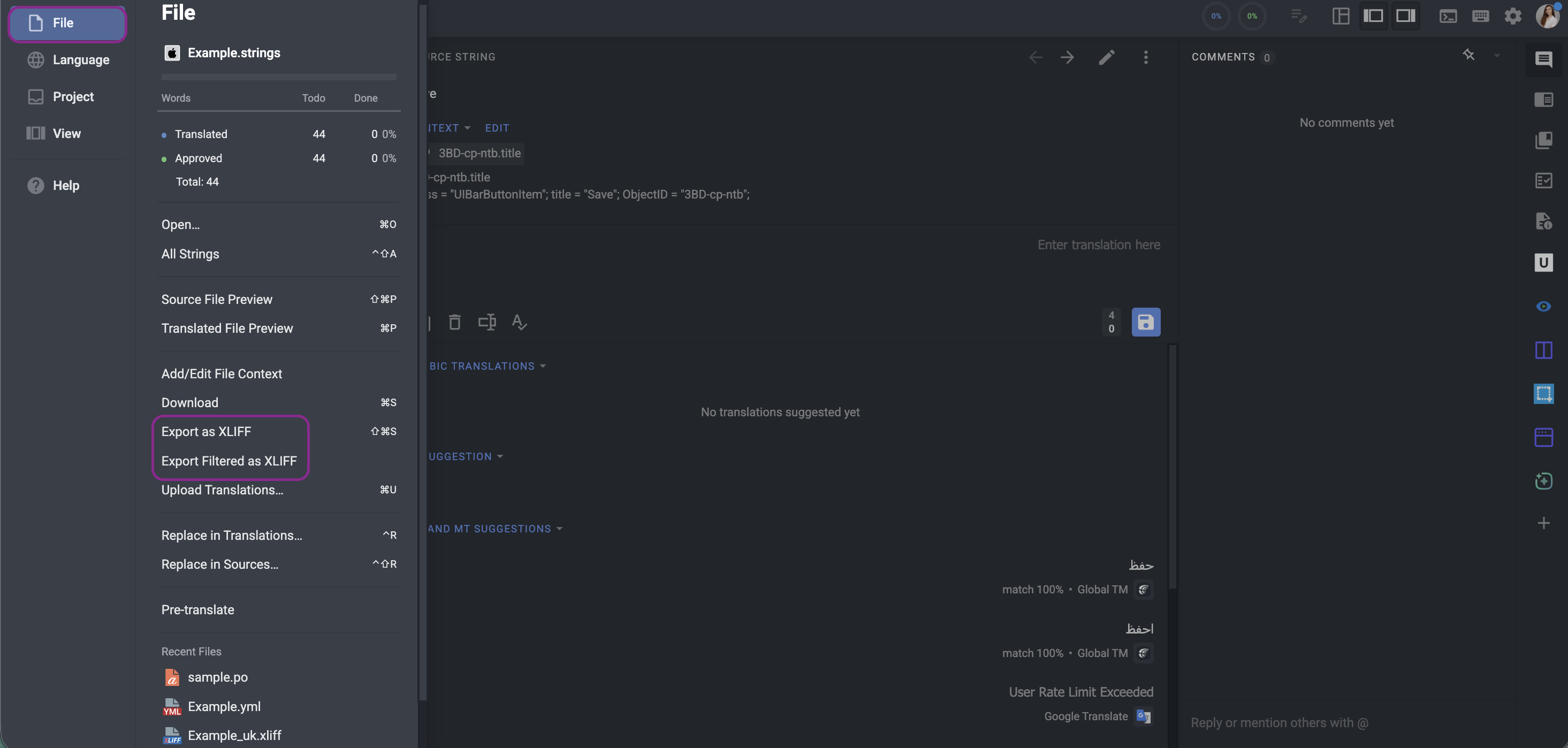
You may have Android XML and XLIFF - we support each format, also you can download any file format as XLIFF:

Tokens\Placeholders

To have en-GB, es-ES, you need to set the language placeholder as %locale%

1 Like

Many thanks Natalia.

Regarding the locale placeholder. It’s strange that when working with a strings project (i.e., adding strings manually) the %locale% option wasn’t showing. But I’ve switched to a file based project now and the %locale% placeholder (along with a host of others) is now available.

In switching to a file based project though, I seem to be encountering an issue with XLIFF that hopefully someone is able to help with please.

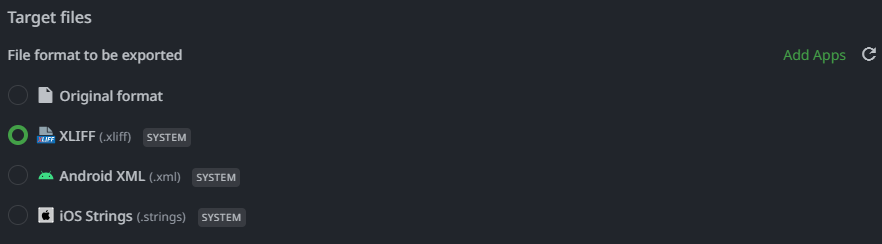
So I imported my Android XML files then setup a download bundle (Translations → Downloads) so I could export the files to XLIFF 2.0

But that exports the files into XLIFF 1.2 format.

If I try to Add Apps and search for XLIFF 2.0 it only shows XLIFF String Exporter

So my question is… how is it possible to export the files as XLIFF 2.0? And it not export how about convert? (from Android XML or XLIFF 1.2)

Kind regards, David

Hi @PeachyPixels ,

Let me please check this with the team and get back to you

Hi Natalia.

Adding to my message above.

The screenshot that you included in your message shows some Export XLIFF options, but they only export to XLIFF 1.2

I was reading an article on the Crowdin Blog, it says…

Can a TMS convert between XLIFF versions?
Yes. Platforms like Crowdin support both XLIFF 1.2 and 2.0 for import and export. You can upload 1.2, translators work in the web UI, and you download as 2.0 (or vice versa) depending on your target platform.

But I’ve looked everywhere and explored every option and just can’t find a way to convert 1.2 files to 2.0

Kind regards, David

Hi David,

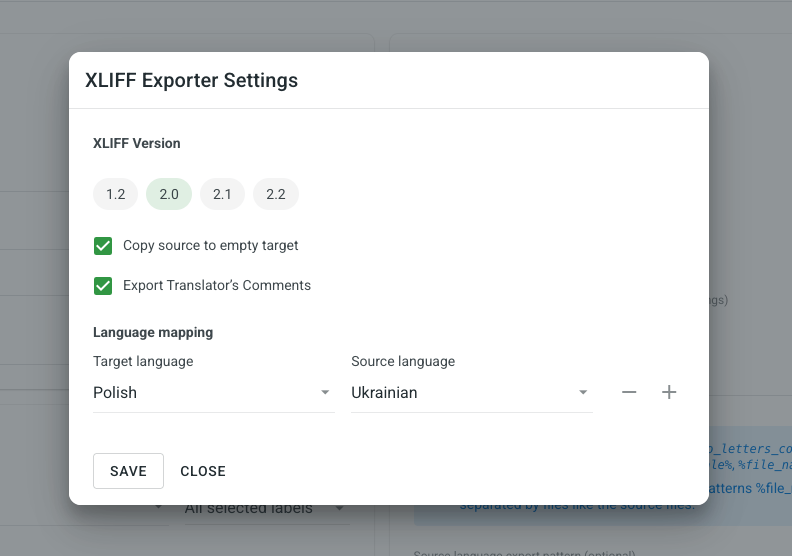
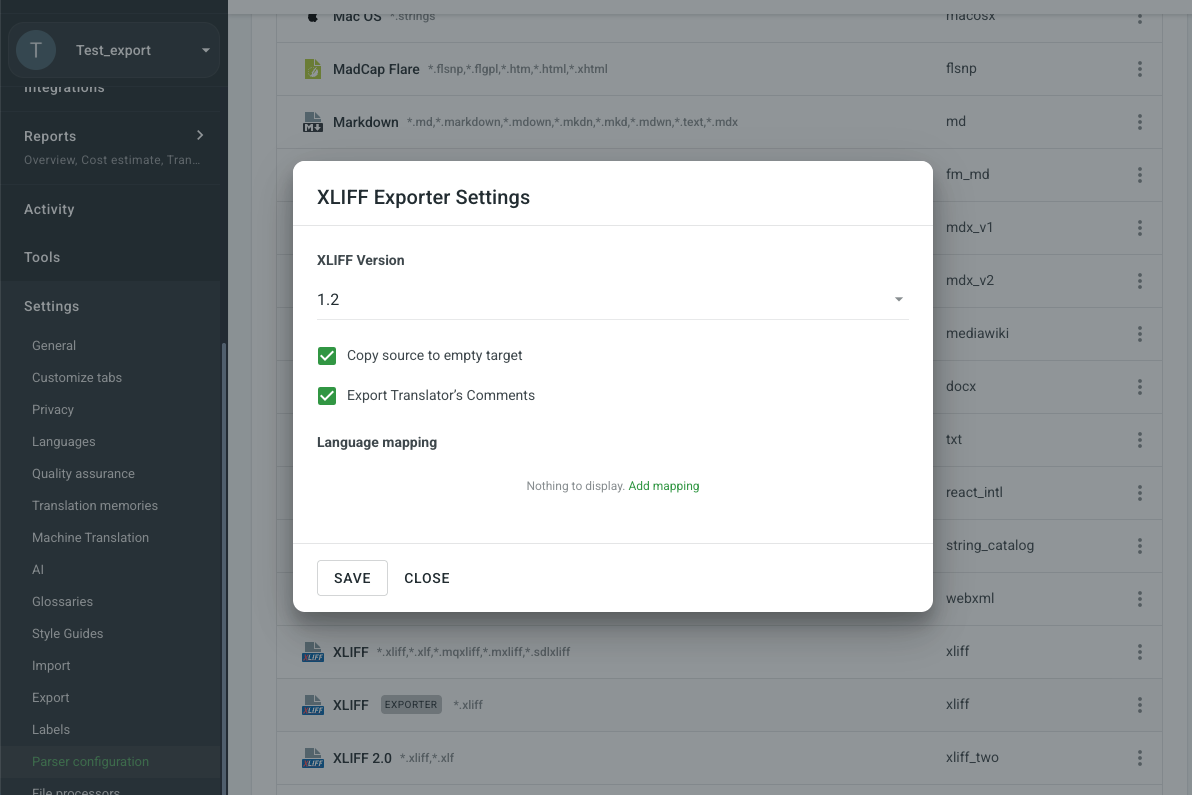
While Crowdin does offer support for various formats, the specific export functionality you’re seeing currently limits outputs to XLIFF 1.2. Our development team is already aware of your request to export in the 2.0 version, and we will be sure to update you as soon as we have more information or a timeline regarding this feature’s availability.

1 Like

Hi Iliana,

Thanks for the information, that makes sense now.

So Crowdin supports XLIFF 2.0 for importing, but not for exporting.

I’ll work with 1.2 for now and will migrate to 2.0 as and when it becomes available (for export)

That said, I’m experiencing some other issues with importing\exporting simple XLIFF 1.2, but I’ll create another thread for that.

Thanks again for the help everyone.

Kind regards, David