Help! I have “Skip Untranslated Strings” checked in my export settings. I’m exporting via csv, the same method in which I imported my strings. The issue is, some of my languages are not complete. I selected “Skip Untranslated Strings”. The issue is, it’s only working about 60% of the time. Many of my untranslated strings show the english source of the string, instead of being blank. It looks like it is primarily multiple sentence strings that have this issue, it appears Crowdin is making new source strings after each period, and those are not being skipped. Anyone else have this issue or know how to solve it?
Hi Scott, could you please kindly provide the specific example of the string that is translated but instead in the exported file is shown with the English text as the translation?
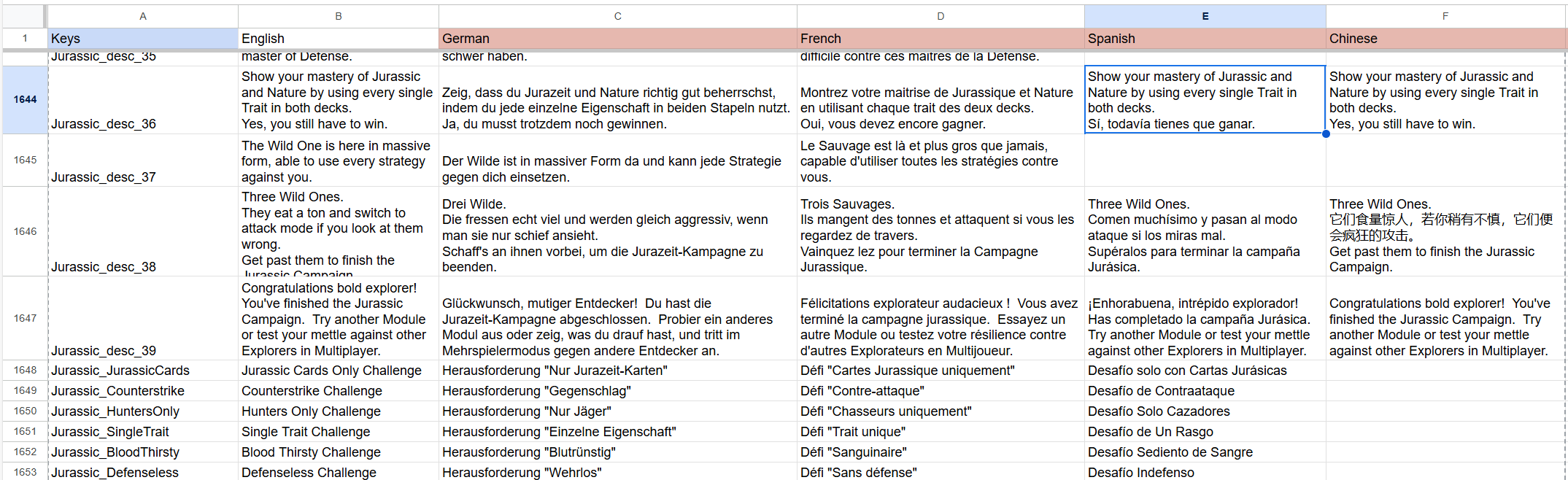
You bet Natalia. My project is “Nature Digital Board Game”. Here is an export of some of the keys. In Crowdin, the Spanish and Chinese translations for these keys are blank. Crowdin placed a mixture of English, Spanish, and Chinese in some of these blanks.
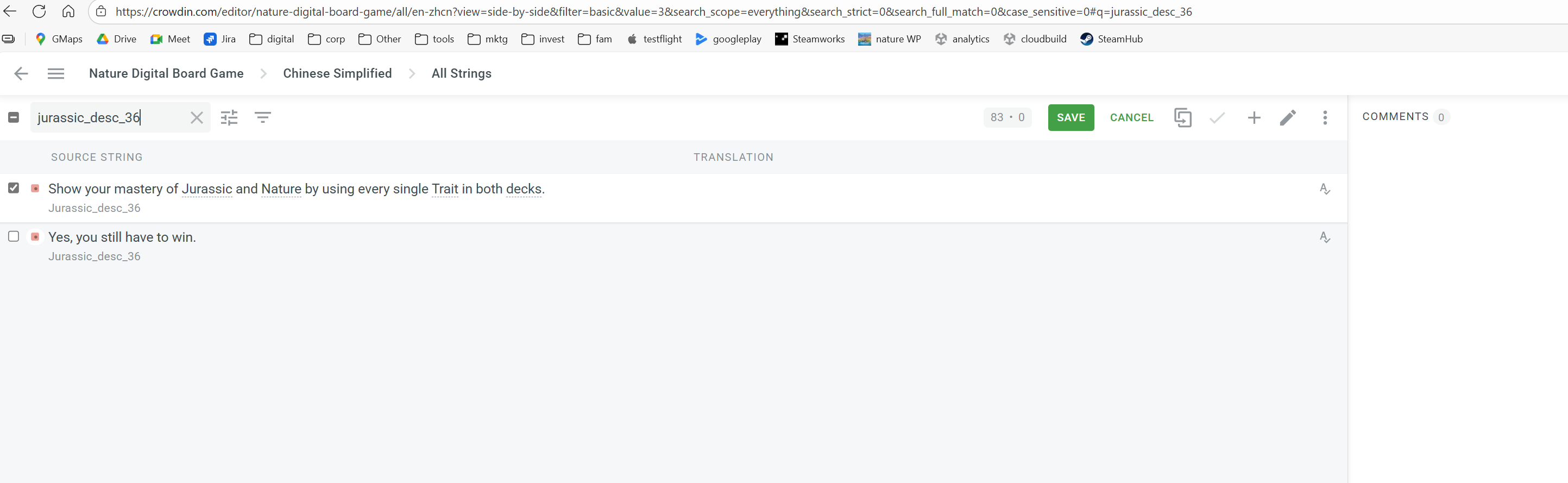
Hi @Scott_R 
I tested this on my side and was able to reproduce the same behavior you described. It looks like the “Skip Untranslated Strings” setting only works correctly if it’s enabled before uploading or importing the file. If the option is turned on later, Crowdin doesn’t reapply it to already uploaded files - that’s why some untranslated strings (especially longer, multi-sentence ones) may still appear with the source text.
If that sounds like your case, I’d suggest re-uploading the file after enabling this option and then exporting again - it should work as expected.
Thanks for looking into this Sofia! Will try that.
Hmm, looks like that didn’t work. Specifically, I updated my source data while that option was checked, and then redownloaded, and the problem still exists. I don’t dare delete the source data and re-upload correct, will that remove the already done translations?
Hi @Scott_R
I just tried it in my test project, and this option works well if I download the translations via UI. With API, I can specify other parameters that will bypass my project export options.
Perhaps you have some files that don’t support full skip (Export Settings | Crowdin Docs)
For example, JSON (with nested structure), PHP, XML, etc.
Anyway, since the option works well in my project, please get in touch with us directly (email to support@crowdin.com) with your project ID/URL so we can check from our database what’s causing this.