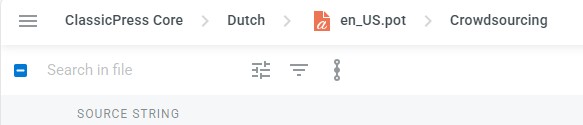
No link in editor to return to project homepage

Hi,

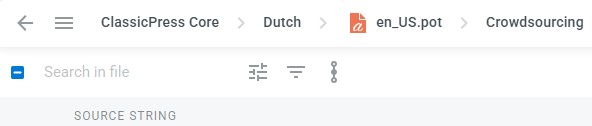
I notice that the Quit Editor arrow in the top left of the screen is missing in some cases, so I am not able to close the editor easily anymore.

Looks like it has something to to with a certain URL parameter: &em

Arrow is displayed with URL:

editor/1/34/enus-nl/7?view=side-by-side&filter=basic&value=0

Not displayed with URL:

editor/1/34/enus-nl/7?view=side-by-side&filter=basic&value=0&em

(could not find a relevant tag, so selected random one)

Hello @Guido07111975

Thank you for bringing this to our attention. It seems that the issue with the missing Quit Editor arrow could indeed be related to the URL parameter “&em” that you’ve mentioned.

Can you share the exact URLs with me privately, either via DM or by email (support@crowdin.com)?

I’ll forward this information to our development team for further investigation then.

Cannot find an option to DM you.. Maybe I’m not looking properly.

But I will email to support now..

Thanks! I’ve received an email, and I will check this case with our development team :slightly_smiling_face:

1 Like

I received a reply from support team. Turns out to be expected behaviour in the editor_em_mode.

After asking what editor_em_mode is I received this reply:

The embedded mode opens when clicking on the file, displaying the original/selected file: https://xx.crowdin.com/xx/nl

When clicking on the Go to Editor, linguists can see all strings that have not yet been translated on the project’s public page

The Go to Console button returns you to the project page with additional settings available that linguists don’t see on the public page

Hi @Guido07111975! Thanks for sharing the clarification here as well! Hope this helps to resolve the confusion on your side.

1 Like

Thanks!

To be honest, I still think there should be an easy way to exit the editor_em_mode screen but apparently this is intentional (by design).

Hello,

The absence of a “Quit Editor” arrow when in the editor_em_mode is indeed by design. This mode is intended to provide a focused environment for translation work without the additional project management features.

If you need to exit this mode, you can use the “Go to Console” button to return to the project page with the full range of settings. This button is your way out of the embedded mode and back to the main interface, where you have more control and visibility over the project settings.

Should you have any other questions or need further assistance, please let me know.
Hi Dima,

Understood, this makes it a bit more clear for me. Thanks.

Guido