I am a manager on a public project. A user was brought to my attention because they grifted a language’s work. I would like to remove all of their contribution from the project, but they don’t show up in the member’s list (even though I can find translations submitted by them in the project and the “top members” panel do show them.
Hi @azerty11235 It depends on the project settings, but in public projects, it is possible to translate without project invitation. Thus, you can’t find the user in the Members tab of the project
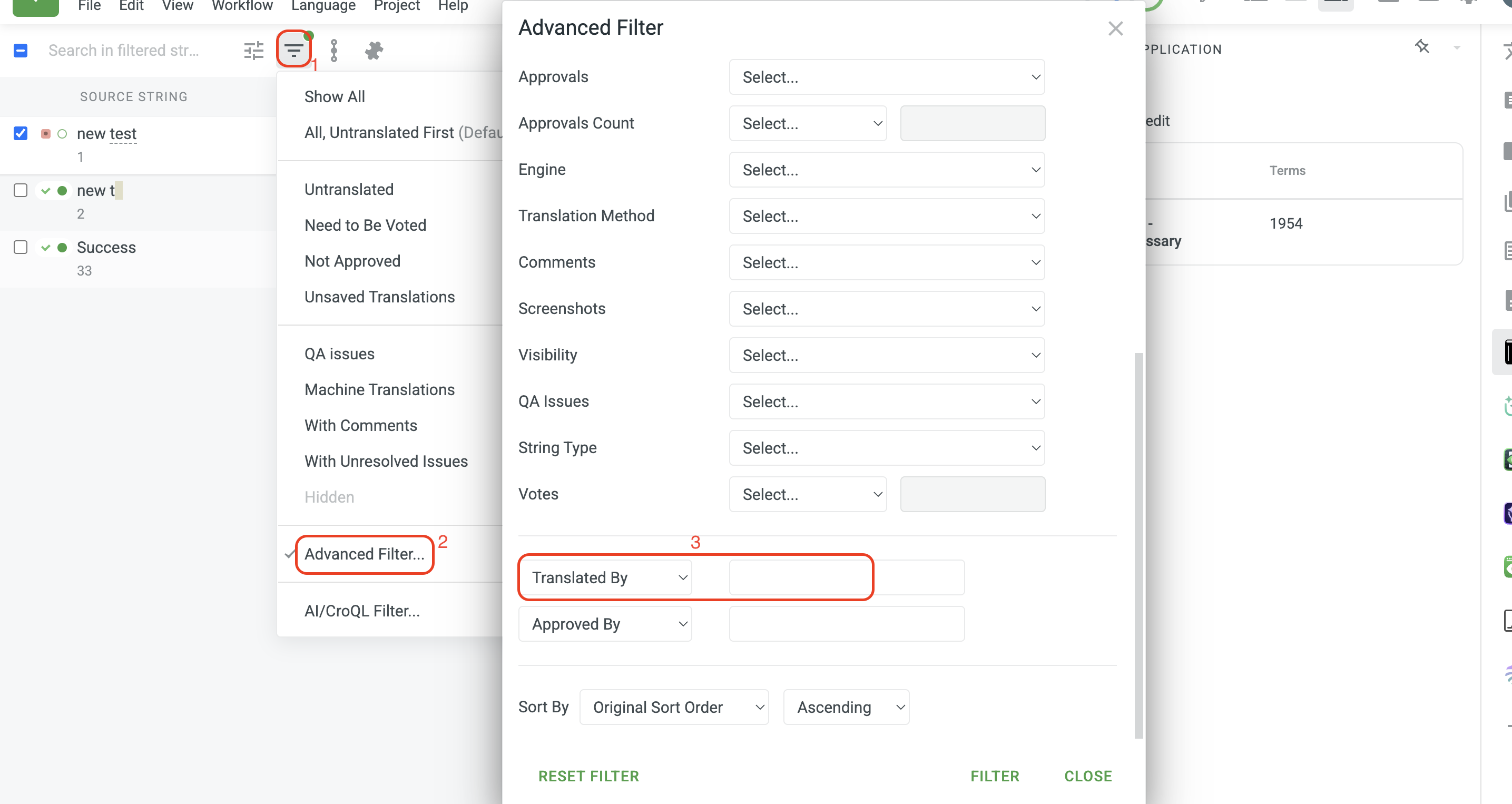
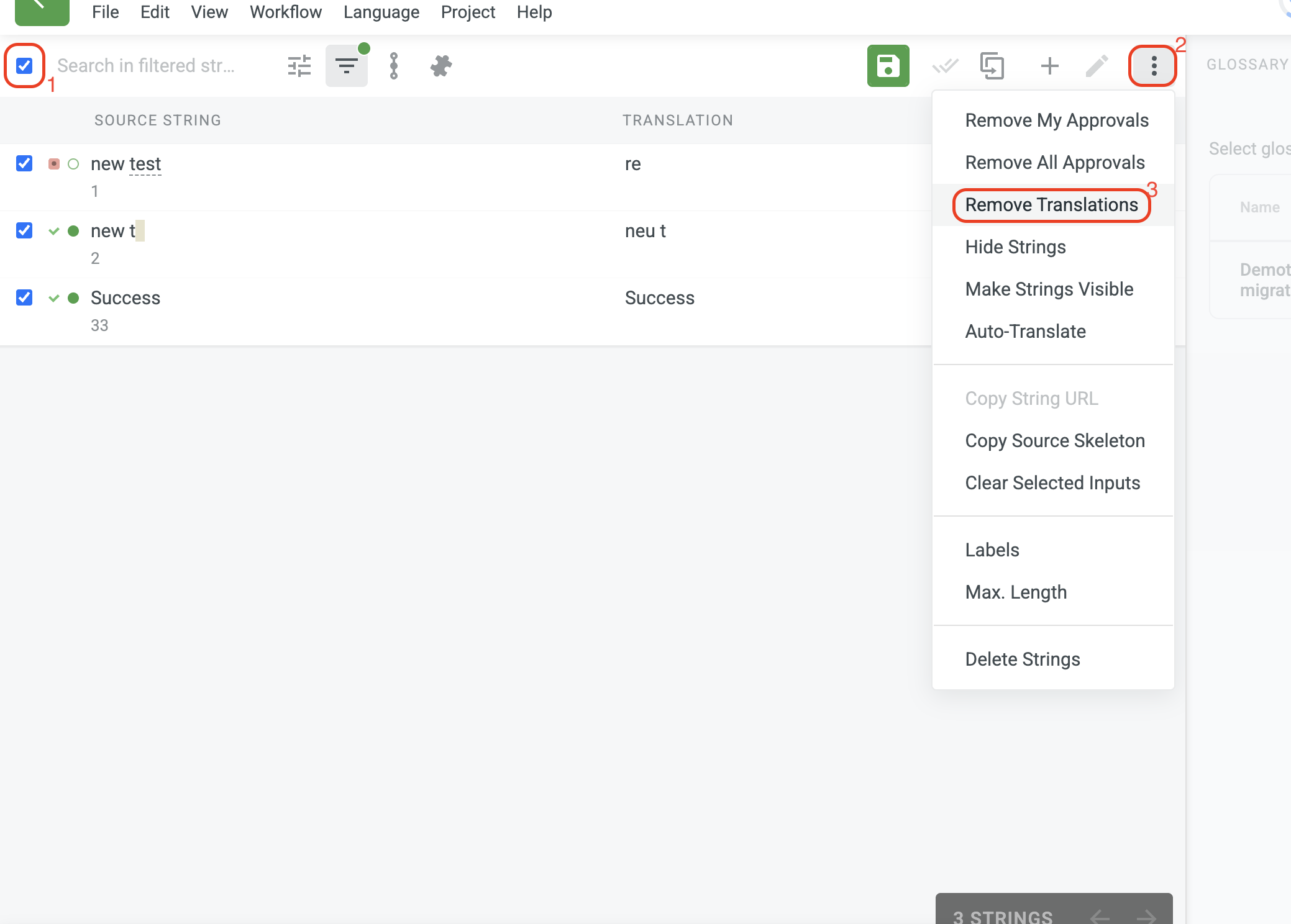
In case there were no new translations submitted by other users after the wrong translations, it is possible to filter translations applied by the user > select all > delete translations, as in the screenshot below:
Also, if the user is removed, he will not be automatically shown in the list of available users in the Advanced filter. You should type the full name of the user to get all the strings with the user’s suggestions.
Please let us know if you have any additional questions!
Hi @azerty11235 It is possible to block users from the Members tab, and they will no longer be able to access your project unless you unblock them
>>>Also, I believe that being able to avoid moderation by leaving a project is a bug and should be treated as such.
Under no circumstances can we restrict users’ rights to leave the project. However, we appreciate your idea, and thank you for your suggestion; we will carefully consider it. Meanwhile, you can block users if you see incorrect translations across the project continuously
This is exactly what I meant: you are suggesting I block a user from the members tab, in which they are not displayed. As such, I cannot prevent them from joining again.
I perfectly agree that a member of a project should be able to leave it oi they wish to. But doing so should not remove them from the list of contributors, not make their contributions harder to search for.
The Top Members report still shows they contributed (4k+ words over more then a dozen languages) but I have to manually search each of those to find out and purge the griefing.
There should be a way to enact proofreader/manager actions on a member’s contributions, even if they left the project.
Fair feedback, and I’ll pass it along, but a change to this logic isn’t something you should expect in the super-near future. So, if we need something today, the practical path for now is to work with what’s there.
The most reliable move is to wait for the re-join, then block. The moment the same account rejoins, they’ll reappear in Members, and you can block them there, and the block persists after they leave, so a second round-trip isn’t possible.
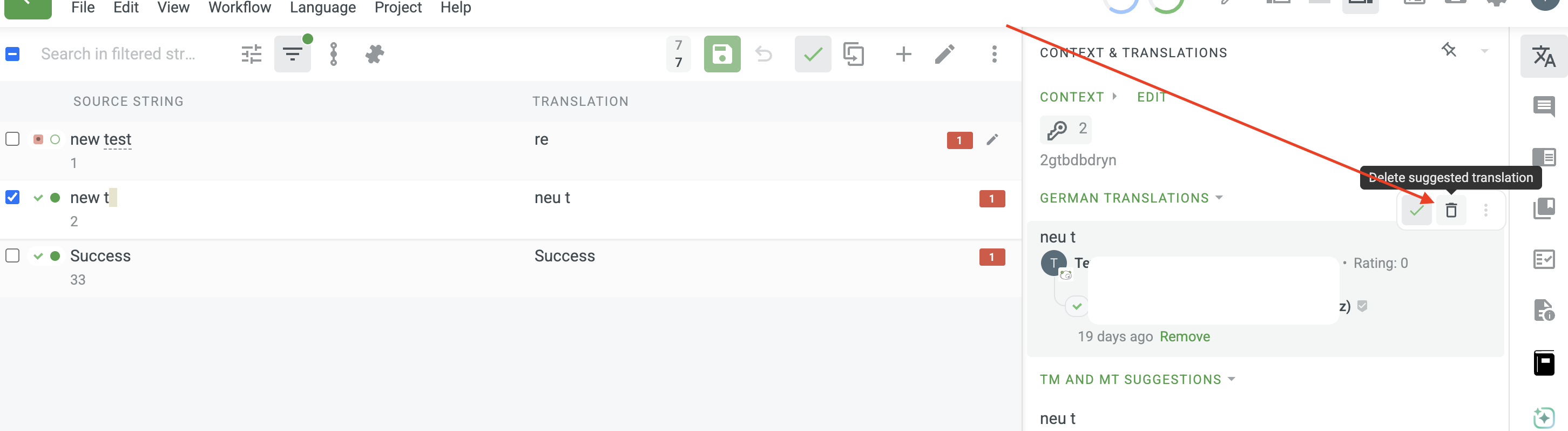
In parallel, you can already clean up what they left behind: filter translations by that user in the Editor and delete them in bulk, or do the same programmatically via the List/Delete String Translations API endpoints (filter by user). That way, the contributions are gone even if the account itself is out of reach.
Not the answer you were hoping for, but it does close the loop on the specific user.