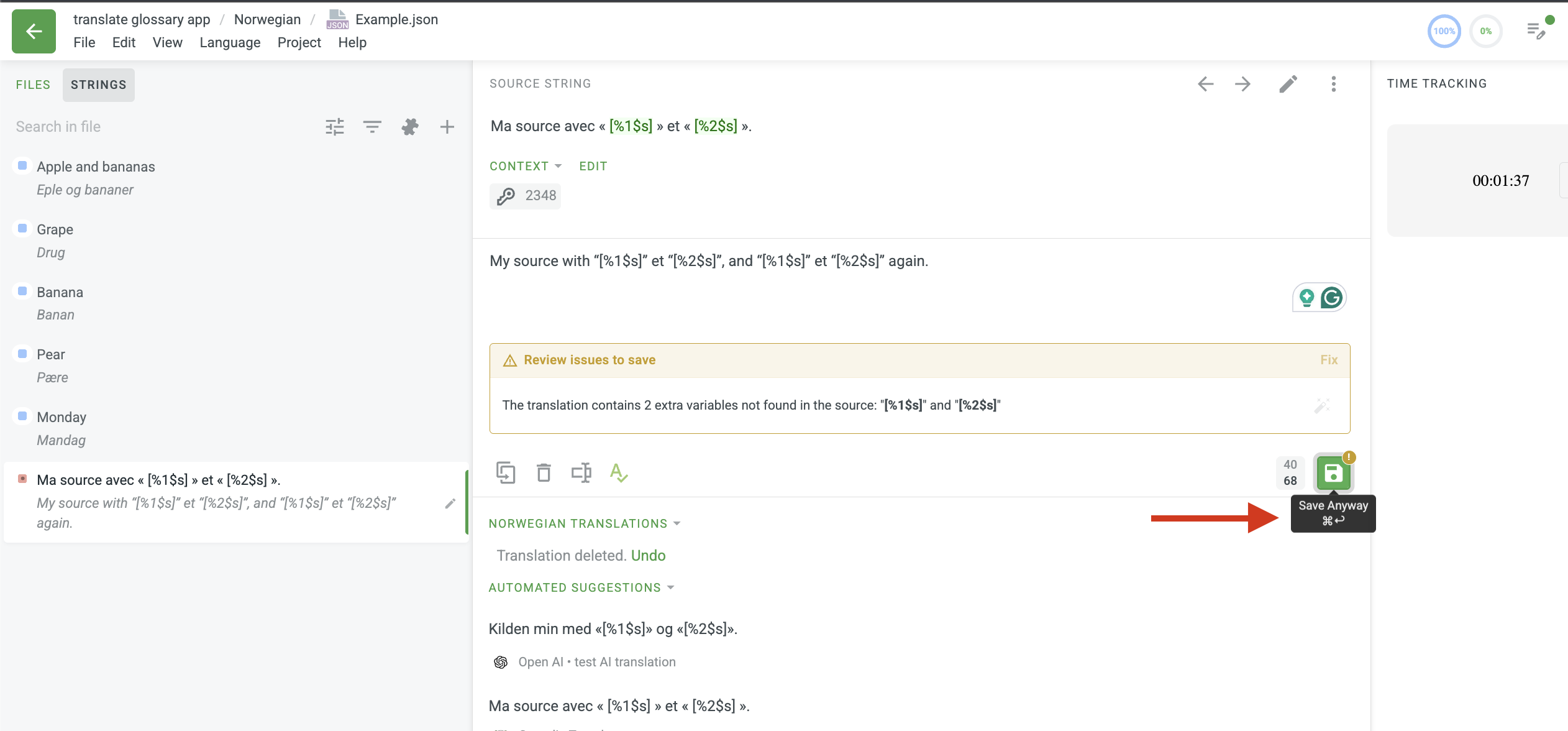
I have a source string that contains 2 placeholders (`%1$s` and `%2$s`). These placeholder are present only once in the source string, but must be used twice in the translation string.
This is a perfectly valid and supported use-case but the translation editor QA check deny me to do that, even if I disable it.
Source:
Ma source avec « [%1$s] » et « [%2$s] ».

Translation:
My source with “[%1$s]” et “[%2$s]”, and “[%1$s]” et “[%2$s]” again.
What can I do to save my translatiton despite the blocking warning:
The translation contains 2 extra variables not found in the source: “[%1$s]” and “[%2$s]”
Can you please confirm that you see the same Save button as I do? After you initially save the translation, the yellow message box will appear and then it is needed to save again
No. I think this is file format dependent. When working on Android XML, it unconditionally blocks when there is a mismatch, whatever the project setting is.
Please just click the save button twice, and the translation will be saved successfully. You are welcome to give it a try and let us know about the result!
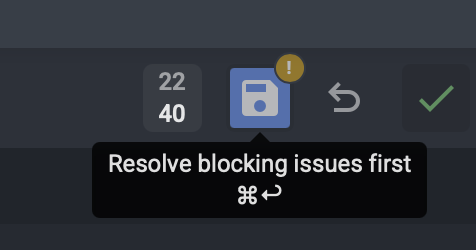
Thank you, but as you can see in the screenshot, the save button is disabled, and clearly states this is a blocking issue. It does not say “Save anyway” as in @Ira response.
Please head into your project Quality Assurance settings and check how the QA rules are configured. Look specifically for the “variables mismatch”, if it is currently set to “Error” (which prevents saving entirely), please update it to “Warning” or temporarily disable that check.