Most QA warnings about string-ending punctuation are very poor. Here are some examples:
Source text: "Example."
Translation: „Example.”
Context: Localised quotation marks.
Result: QA tells me that the sentence does not end with a . and asks me to add it. This one seems like a bug, however, unlike the others.
Source text: Do this.
Translation: Do this!
Context: Hungarian (my target language) grammar rules dictate that sentences in an imperative mood must end with an exclamation mark (with a few exceptions). Crowdin does not take this into account.
Result: QA tells me that the sentence ends with a . rather than an ! and asks me to change it.
Source text: Save changes?
Translation: Save changes
Context: Mostly with window titles. Wording this as a question in Hungarian would be way longer, so we word these in indicative mood, instead.
Result: QA tells me a ? is missing and asks me to add it.
In conclusion, it seems that most QA warnings about changing the string-ending punctuation is doing more harm than good. I would suggest overhauling or disabling it completely. While these warnings can be ignored, I see a lot of newbie translators going back and ‘fixing’ the translation anyway, just so that they can save it without warnings, which results in poor-quality translations.
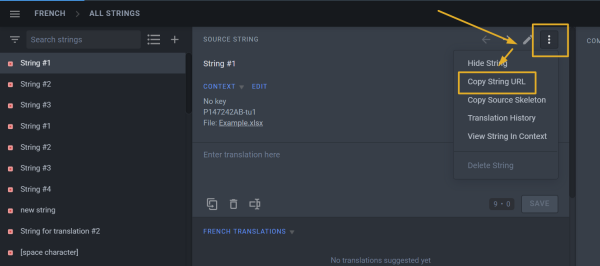
Thank you for the detailed examples. You’re right about the first one. When a translation ends with a quotation, the check looks for the punctuation inside the quotes, but it doesn’t recognize the „…” quotation marks used in Hungarian, so it misses the full stop and asks you to add it. We’ll pass this to our team so it can be fixed. Could you please kindly send us the direct link to the string where it happened?
The other two cases come from how the punctuation check works. It compares the final punctuation mark of the source text with the one in the translation and doesn’t take the grammar rules of the target language into account. Hungarian imperatives ending with an exclamation mark and titles phrased without a question are valid translations, so these warnings can be safely ignored. We’ll share your feedback about these cases with the team as well.
If these warnings get in the way for your translators, the project manager can turn off the punctuation check in the project’s QA check settings or make sure translations with QA warnings can still be saved.
I could give you countless examples, but this one could be one such string: crowdin. com/editor/drg-rogue-core/507/en-hu?view=comfortable#498824
Regarding the rest of the examples: I understand that this may be a more pronounced issue with Hungarian and I do not have any insight regarding other languages. However, I struggle to think of any instances where this warning could be useful at all. Different languages use punctuation differently and having a warning state that the punctuation of the translation differs from the original is pretty much useless. At that point, we might as well also have a warning for if the translation isn’t the English original verbatim (though, that might be a slight exaggeration).
This isn’t a project-level issue, but a platform-level one. While I have grown used to it over the years, I see a lot of newbies get tripped up on the warning and obliging, just to have it go away, because they don’t know any better.
Unless a note is baked into the warning itself, something like…
You may safely ignore this warning and click Save again to continue.
Thank you for the link. This string is a clear example of the issue with the „…” quotation marks, and we’ll pass it to our team together with your report so it can be fixed.
We also understand your point about the other punctuation warnings, and we’ll share your feedback with our product team, including your suggestion to mention in the warning itself that it can be safely ignored. In the meantime, in this project the punctuation check is set to show a warning rather than an error, so translators can still save their translations without changing the punctuation. The project manager can also turn this check off completely in the project’s QA check settings if it causes more confusion than it helps.