Hi Crowdin team and community,
While working on a large translation project, I noticed that translators often discover inconsistencies in their own previous translations while working on new strings, especially when TM suggestions show exact match or match case strings. Currently, fixing these errors requires manually searching through thousands of strings, which is time-consuming and frustrating.
My suggestion:
Add a feature in the editor sidebar that allows translators to quickly access and correct their own previous translations directly, without having to search for them manually.
Key details:
- The correction should be limited to the translator’s own previous translations only, not other contributors’ work.
- When a translator notices an inconsistency, they can flag it directly from the sidebar and correct it on the spot.
- This could be triggered when a similar or related string appears in the TM suggestions panel.
Why this matters:
- Improves translation consistency across large projects
- Saves significant time for translators working on long-term projects
- Encourages translators to take ownership of their work quality
Thank you for considering this suggestion!
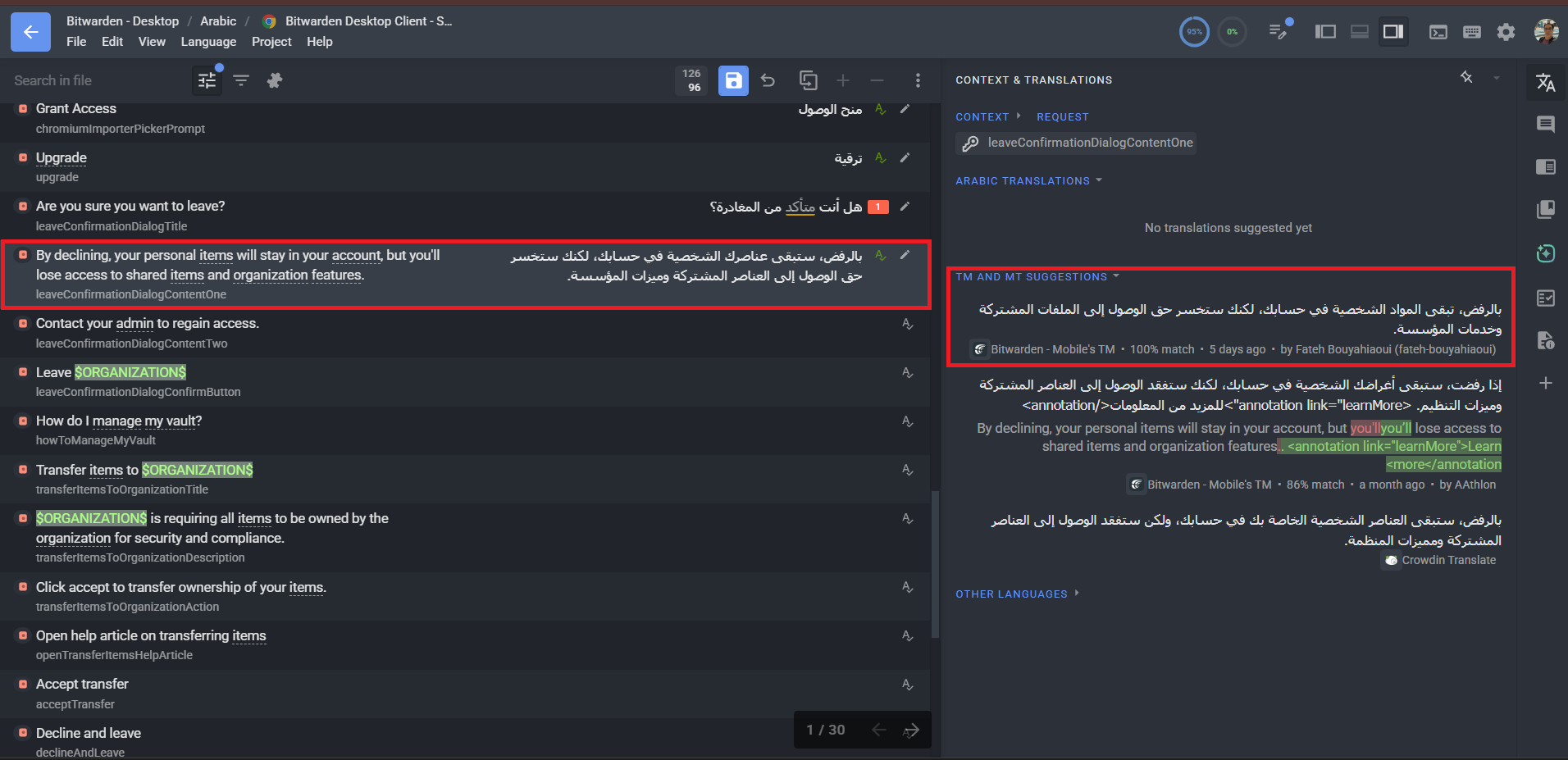
NB: The screenshot below shows a real example where an inconsistency
was discovered through the TM suggestions panel, requiring a
manual search to fix it.
Hello @fateh-bouyahiaoui,
Thanks a lot for the detailed suggestion and the screenshot — it really helps to see the exact scenario you’re running into.
Good news: most of what you’re describing is already doable today in the Editor, just through existing features rather than a dedicated sidebar action. Let me walk through how a translator can handle this end-to-end.
1. Quickly finding your own previous translations
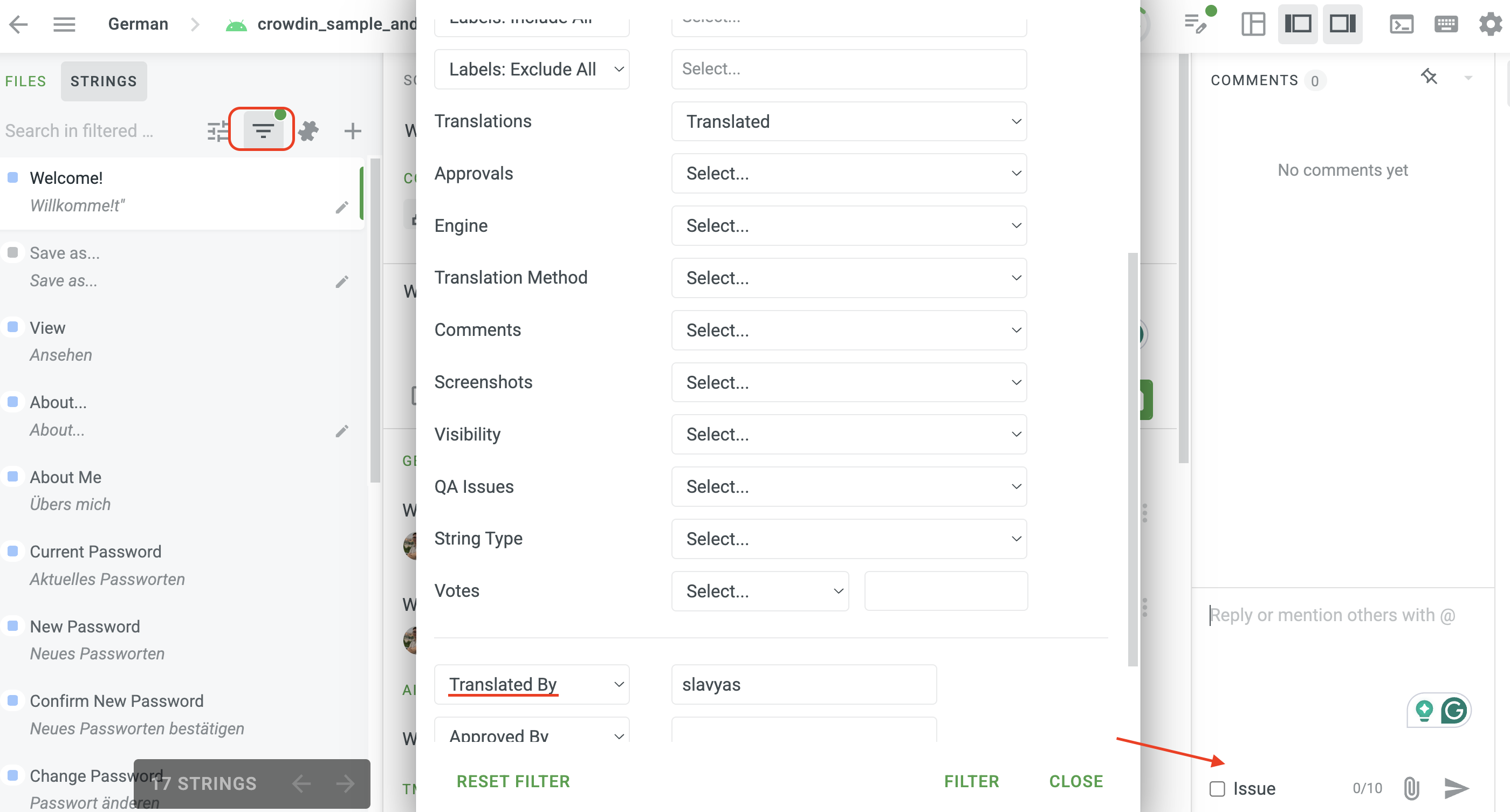
The Editor’s Advanced Filter lets you narrow the string list down to only the strings you translated. Open the filter panel (top of the string list) and set:
- Translated by → User name
- Optionally combine with Translations updated… , Translation method…, Labels, Comments, etc:
This removes the need to manually search through thousands of strings — you’ll instantly get a filtered list of just your own translations matching the criteria. See Editor Overview → Core Features.
2. Fixing the inconsistency in the actual translation
When you spot a wording mismatch via a TM suggestion (exactly the case in your screenshot), the fastest path is:
- Use the Advanced Filter (step 1) to jump to the original string with the inconsistent translation.
- Update the translation right there — your new version becomes the current one, and the TM is updated accordingly the next time it syncs.
Note on editing TM directly: the “edit TM suggestion” action you may have seen referenced in Editor Overview is only available to users with TM management permissions (Project Manager, Owner). With a Translator role you wouldn’t see that option — and that’s intentional, since TM is a shared resource that affects all translators on the project. The right path for a translator is to fix the original translation; the TM picks up the change automatically.
3. Flagging inconsistencies so a manager/proofreader can act on them
If the inconsistent translation isn’t yours (or you want a second pair of eyes), you can:
- Add a comment on the affected string, or
- Raise an issue (Comments tab → Issue type), which notifies project managers and stays tracked until resolved.
See For Translators and Roles for more on what each role can do.
So the loop you described — “spot it in TM → jump to it → fix it on the spot” — already works for translators via Advanced Filter (Translated by: User name) + editing the original string + comments/issues. The only piece that isn’t translator-facing is editing TM entries directly, and that’s by design.
1 Like
Hello @Viacheslav
Thank you for the detailed and helpful response!
I wasn’t aware of the Advanced Filter feature — this is exactly
what I needed.
The workflow you described (Translated by → fix on the spot)
solves the problem perfectly. I will definitely use it going forward.
I appreciate you taking the time to walk me through the existing
features in such detail.
Best regards.