I haven’t found a way to do this. All files are exported with Unicode characters in the given language. Is there a possibility to escape the Unicode characters? Thanks in advance for your help.
Hi @rheydenr
It is expected that on export you receive translation as it is in the Editor pasted by the translator. Can you please share your workflow and the reason why you need Unicode characters to be escaped on export?
Hi Tatiana, thanks for your fast reply. The reason why I’m using escaped Unicode in my properties files is because sometimes the origin Unicode characters cause weird effects. So, the escaped form is a cleaner way to handle internationalized files.
The workflow is just simple. I’ve attached a branch from my current project, created a filter for the bundle properties files and imported the initial properties files with existing translations. So, further translation can be made inside Crowdin. The translated files are written to a special branch in my Git repository.
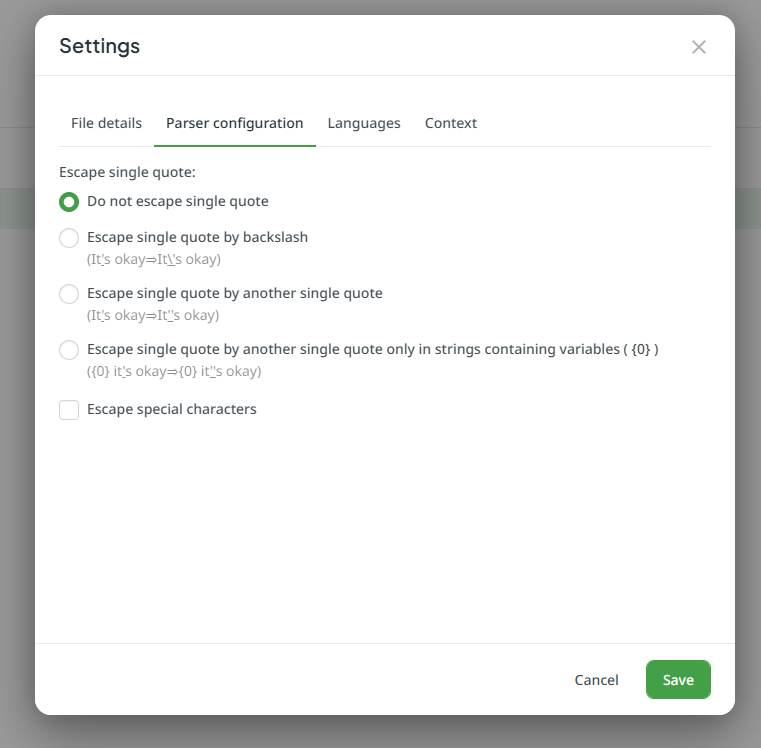
Please kindly feel free to ask the project owner/manager to access File settings in the Files > Sources tab > three dors near the needed file > Settings > Parser configuration:
I have the same problem and the mentioned settings do not offer a solution.
I need an Option that keeps the source and translation .properties files to a certain encoding, like ascii or cp1252.
When trying the Converter to cp1252/iso or ascii - all unicode escapes that existed in the import are interpreted and gone instead of handled as usascii - as source and/or translations are converted to unicode internally.
Source in English (no escapes necessary),
Import Translation German:
sms.pin=Best\u00e4tigungscode f\u00fcr %s: %s
→ Export becomes UTF8 in German:
and when I use
sms.pin=Bestätigungscode für %s: %s
and with “Encoding Converter” of course it is just converted to ascii:
sms.pin=Best?tigungscode f?r %s: %s
Is there any existing solution for this problem in crowdin universe?
Can CLI do it?
I played around with Post-Export Converter - but it was not successful and now the Edit Screen in Project Settings>File Processors>Custom Post-Export-Processor shows: