Hi Team, hope you’re doing great
I’m reaching since we’re having a problem when importing translations using the Custom File Format (CFF) tool.
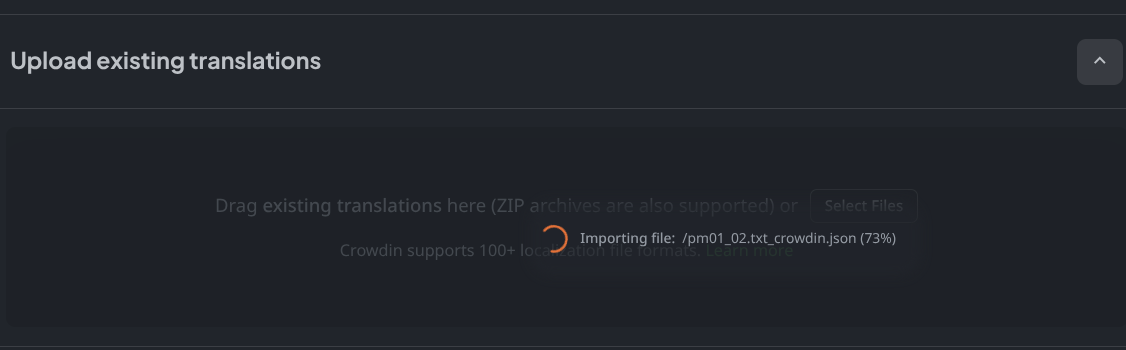
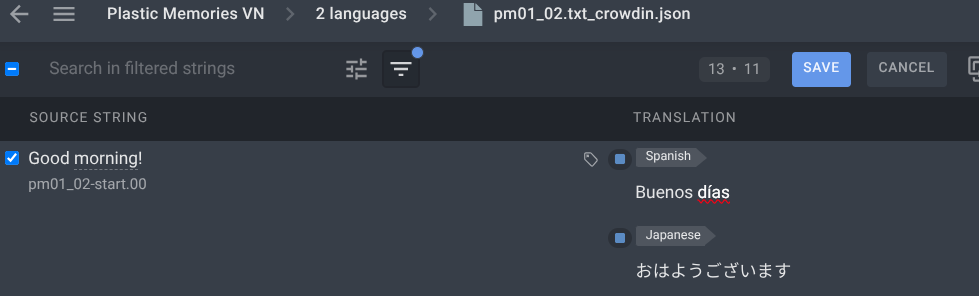
We already configured our project (ID: 732337) with 3 languages (en, es-ES and jp) and set up the CFF importer and exporter. When uploading the file (using the UI), the source (english) is uploaded without issues, but the translations are empty despite them being present in the imported file, as you can see in the following screenshot:

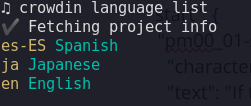
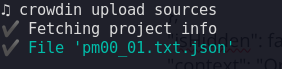
We also tried with the CLI using crowdin upload sources, but it behaves the same way. We tried in different ways: deleting the file, uploading one more time after the first upload, crowdin upload translations, among others, and still the same issue.
As a way of debugging the importer, we are sending the string entries to the context property, and also added the targetLanguages that is specified in the documentation.
When checking the context in the UI, we noticed the targetLanguages is empty. here’s an example of a string that is pushed to the string env variable (you can see it on the previous screenshot too):
{
   "identifier":"pm00_01-start.00",
   "text":"If the time I had to live was predetermined, \\nI wonder how I would handle it.",
   "context":"Original Text: もし、自分の命の時間が、あらかじめ決まっていたとしたら、俺ならどう受け止めるだろう。",
   "labels":[
      "character:voice-off",
      "scene-title:「プロローグ」"
   ],
   "isHidden":false,
   "customData":"character:voice-off",
   "translations":{
      "en":{
         "text":"If the time I had to live was predetermined, \\nI wonder how I would handle it.",
         "status":"untranslated"
      },
      "ja":{
         "text":"もし、自分の命の時間が、あらかじめ決まっていたとしたら、俺ならどう受け止めるだろう。",
         "status":"translated"
      },
      "es-ES":{
         "text":"abc",
         "status":"translated"
      }
   },
   "targetLanguages": [  ]
}
I don’t if the previous is worth to be mentioned, but just wanted to added the context. Due to targetLanguages env variable being empty, we are using a hardcoded list of languages.
Could you please help us figure out what could be happening?
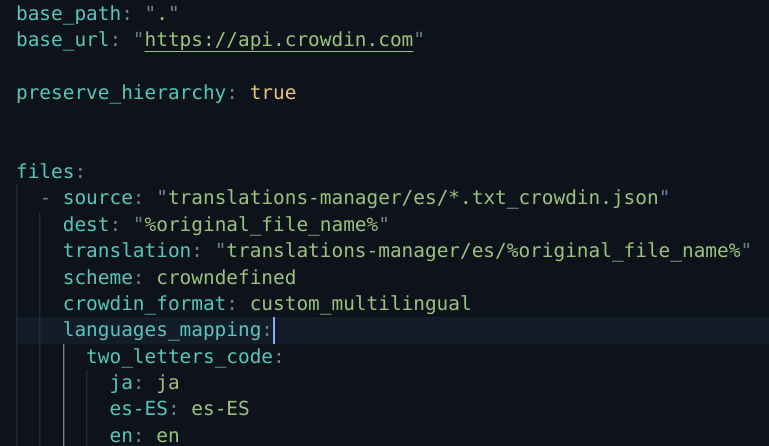
I’m attaching our importer, the crowdin.yaml and an example of the file we want to import using the CFF. Our project ID is: 732337
cff.importer.js
const contentObj = JSON.parse(content);
const forcedTargetLanguages = [
  {id: 'en'},
  {id: 'ja'},
  {id: 'es-ES'},
];

for (const scene of Object.values(contentObj['texts'])) {
  for (const textId in scene) {

    const item = scene[textId];
    const stringObj = {
      identifier: textId,
      text: item.text,
      context: item.context,
      labels: item.labels,
      isHidden: item.isHidden || false,

      // Max 4k of custom data
      customData: item.customData,

      // Translations p
      translations: {}
    };


    // If importing translations
    let contexTranslations = {};
    const languages = forcedTargetLanguages || [];

    if (languages.length > 0) {

      stringObj.translations = {};
      for (const lang of languages) {

        // Continue if target translation doesn't exist
        if (!Object.keys(item.translations).includes(lang.id)) {
          continue;
        }

        const translation = item.translations[lang.id];
        stringObj.translations[lang.id] = {
          text: translation.text,
          status: "translated"
        };

        contexTranslations[lang.id] = stringObj.translations[lang.id];
      }
    }

    contexTranslations['item'] = item;

    // here we're pushing the `targetLanguages` value to the context
    stringObj['targetLanguages'] = targetLanguages || 'empty';
    stringObj['context'] = JSON.stringify(stringObj);

    strings.push(stringObj);
  }
}
crowdin.yml
"project_id": "732337"

"base_path": "."
"base_url": "https://api.crowdin.com"

"preserve_hierarchy": true

"files": [
  {
    "source": "pm00_01.txt.json",
    "translation": "pm00_01.txt.json",
    "scheme": "crowndefined",
    "crowdin_format": "custom_multilingual",
    "languages_mapping": {
      "two_letters_code": {
        "ja": "ja",
        "es-ES": "es-ES",
        "en": "en"
      }
    }
  }
]
file-to-import.json
{
  "filename": "pm00_01.txt",
  "labels": [
    "filename:pm00_01.txt"
  ],
  "texts": {
    "start": {
      "pm00_01-start.00": {
        "character": "voice-off",
        "text": "If the time I had to live was predetermined, \\nI wonder how I would handle it.",
        "translations": {
          "ja": {
            "text": "もし、自分の命の時間が、あらかじめ決まっていたとしたら、俺ならどう受け止めるだろう。",
            "status": "approved"
          },
          "en": {
            "text": "If the time I had to live was predetermined, \\nI wonder how I would handle it.",
            "status": "approved"
          },
          "es-ES": {
            "text": "abc",
            "status": "untranslated"
          }
        },
        "isHidden": false,
        "context": "Original Text: もし、自分の命の時間が、あらかじめ決まっていたとしたら、俺ならどう受け止めるだろう。",
        "labels": [
          "character:voice-off",
          "scene-type:default",
          "scene-label:start",
          "scene-title:「プロローグ」",
          "filename:pm00_01.txt"
        ],
        "customData": "character:voice-off"
      },
      "pm00_01-start.01": {
        "character": "voice-off",
        "text": "It was a winter evening. The arrival of spring was \\nstill far away.",
        "translations": {
          "ja": {
            "text": "まだ、春の訪れにはほど遠い、冬の日の夜。",
            "status": "approved"
          },
          "en": {
            "text": "It was a winter evening. The arrival of spring was \\nstill far away.",
            "status": "approved"
          },
          "es-ES": {
            "text": "texto prueba",
            "status": "untranslated"
          }
        },
        "isHidden": false,
        "context": "Original Text: まだ、春の訪れにはほど遠い、冬の日の夜。",
        "labels": [
          "character:voice-off",
          "scene-type:default",
          "scene-label:start",
          "scene-title:「プロローグ」",
          "filename:pm00_01.txt"
        ],
        "customData": "character:voice-off"
      },
      "pm00_01-start.02": {
        "character": "voice-off",
        "text": "The shopping mall was just about to close. \\nI managed to slip through the elevator door \\nright as it slid shut.",
        "translations": {
          "ja": {
            "text": "閉店間際のショッピングモール。ちょうど閉まりかけたそのエレベーターに、ほとんど滑り込むようにして乗り込んだのは――",
            "status": "approved"
          },
          "en": {
            "text": "The shopping mall was just about to close. \\nI managed to slip through the elevator door \\nright as it slid shut.",
            "status": "approved"
          },
          "es-ES": {
            "text": "texto prueba",
            "status": "untranslated"
          }
        },
        "isHidden": false,
        "context": "Original Text: 閉店間際のショッピングモール。ちょうど閉まりかけたそのエレベーターに、ほとんど滑り込むようにして乗り込んだのは――",
        "labels": [
          "character:voice-off",
          "scene-type:default",
          "scene-label:start",
          "scene-title:「プロローグ」",
          "filename:pm00_01.txt"
        ],
        "customData": "character:voice-off"
      }
    }
  }
}
CLI screenshots
Thank you Team!