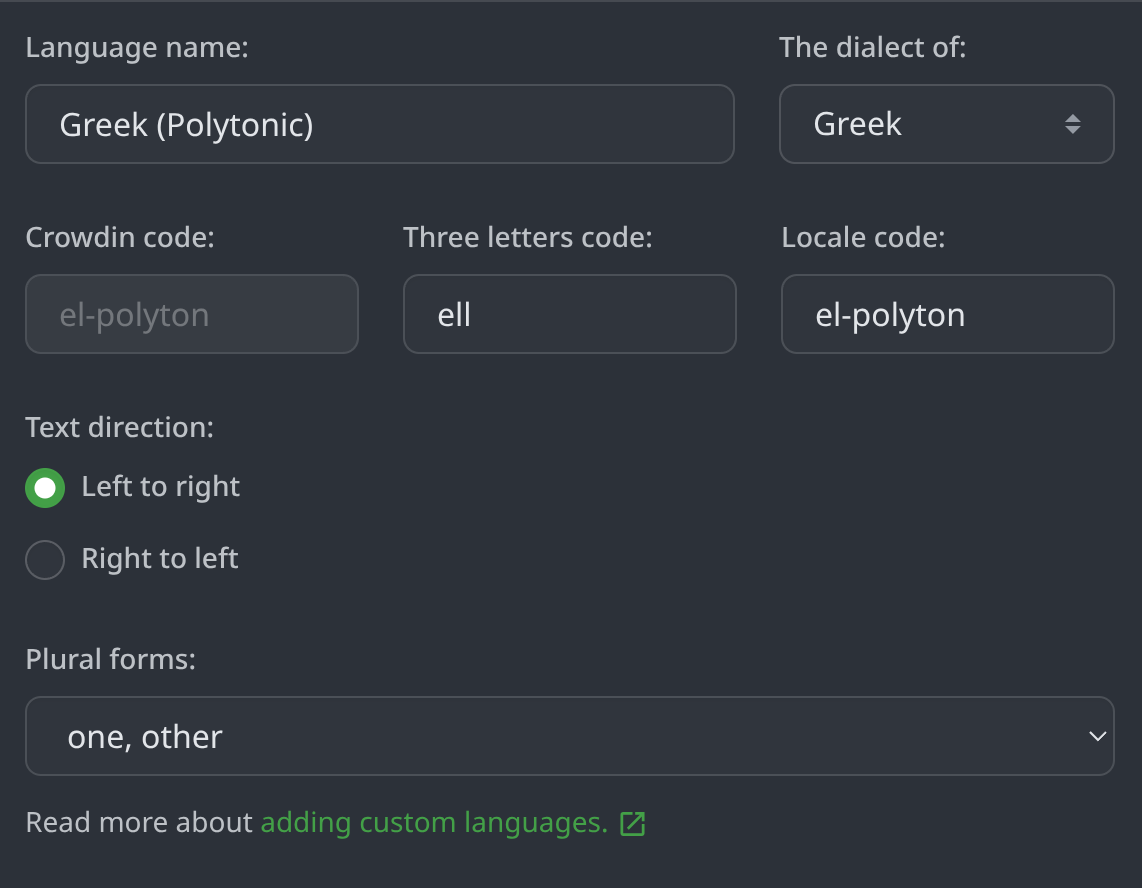
My project has been able to use the Crowdin CLI 3.0+ but when I try to use CLI 4.12.0 I get these following errors:
$ crowdin.bat config lint
[ERROR] Configuration file is invalid. Check the following parameters in your configuration file:
The mapping format is the following: crowdin_language_code: code_you_use. Check the full list of Crowdin language codes that can be used for mapping: Language Codes | Crowdin Docs .
I have several custom languages defined in my project, like “Greek Polytonic” below
Please try updating your configuration like this:
languages_mapping:
android_code:
el-polyton: “ell”
If this doesn’t resolve the validation error, please contact us directly at support@crowdin.com with a link to your project so we can investigate further.
Based on the information you’ve shared, please ensure that the value for “el-polyton” is enclosed in quotes. This should match the custom language code you’ve set up in your Crowdin project.
Something like here:
Alternatively, you can try adding a mapping in Project Settings → Languages → Language Mapping; it should work great as well.
If you continue to experience issues after making this change, please let us know.
This response from the support team worked for me!
The most reliable fix is to move the language mapping from crowdin.yml to the Crowdin Project Settings.
Once configured in the UI, you can remove the languages_mapping section from your crowdin.yml. The Crowdin CLI will automatically respect the mappings defined in the project settings when downloading files.
Yes, after setting the language mappings in the Crowdin UI and removing the references in my crowdin.yml file, this worked for me.