There is this new ‘AI Suggestion’ drop-down panel under the translation box, which I do not use, as doing so would take away the fun in translating in the first place.
The problem is, every other panel around it ({lang} Translations, TM and MT Suggestions, Other Languages) will remember their state and remain either expanded or collapsed permanently, until I manually change them. The AI Suggestion box does not do this and always starts expanded when I open a new tab, so I manually have to collapse it each time.
Please make this box also remember its last state when opening a new tab.
I guess that “AI Suggestion” panel re-expanding on each string is actually intentional in the current design, not a bug.
Each time you open the Editor, suggestions are generated, regardless of whether you use them or not, so the editor keeps the panel surfaced to make sure translators can see the suggestion they’re paying for, even if a user has previously collapsed it (because the project Owner activated AI-in-Editor on the project level, for every user).
The other sections (TM, MT, Other Languages) don’t have that cost dynamic, which is why they just remember whatever you last set.
But, anyway, your point is valid. For someone who prefers translating without AI assistance, having to dismiss it on every string is definitely uncomfortable.
I’ve opened CN-66701 for our editor team to check it and align it with the other sections.
Just to clarify, it doesn’t reopen on every string, but every time I open a new instance of Crowdin on a new browser tab.
Either way, thank you for considering this. While I do agree that there can be a reason for this, given it’s a paid feature, but on the translator side, it’s a very annoying UX to have to keep collapsing something I don’t want to see.
There has been an unfortunate update to this situation.
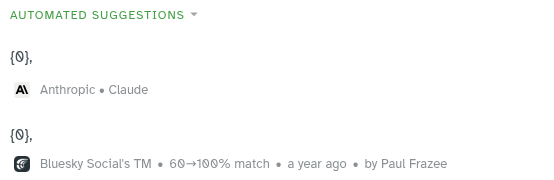
The AI suggestions are now integrated into the normal ‘automated suggestions’ panel, with several problems:
Firstly, it is now impossible to separately hide AI suggestions from Translation Memory entries, which is a huge step back. They are also displayed on top, which forces me to look through the generated slop before I can read human translators’ previous suggestions. This system worked well before, why change it?
In addition to this, the new panel is also plagued by the previous, separate AI panel’s memory issues, namely that, even if I decide to take the bullet and shoot myself in the foot by hiding TM entries so that they take the AI slop with them, the new panel re-expands itself when the browser tab is reloaded, even if it was collapsed previously.
Please undo these changes immediately, as they are hindering the translation process. Having optional AI tools is fine, but the translators who use your platform are human and, I for one, intend on putting in the manual labour for creating good translations, instead of mass-generating sloppy ones.